Immersive Fullscreen Ads for Mobile, Desktop & Web Flutter Apps
High-impact immersive fullscreen ads for Flutter applications designed for onboarding flows, app transitions, and high-attention user moments.
Flutter Fullscreen Ads Example
Learn how to integrate immersive fullscreen native ads using Flutter Ads SDK with responsive layouts, transitions, and customizable UI components.
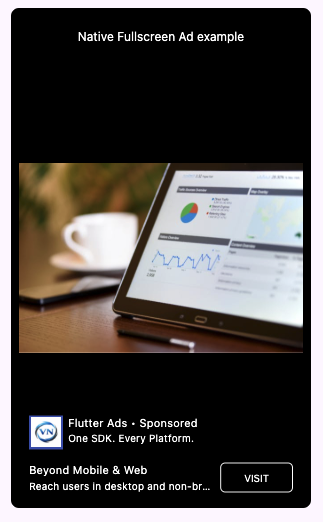
Fullscreen Ad Preview
Immersive Ad Experience
High visibility & transition-based rendering
Fullscreen ads occupy the entire viewport and are commonly displayed during natural application transitions for stronger visibility, engagement, and conversion performance.
Ensure Ads Available
Ensure fullscreen ads are available before triggering display.
main.dart
await FlutterAds.instance.ensureAdsAvailable(
  adType: AdType.nativeFullscreen,
  context: context,
);Show Fullscreen Ads
Render fullscreen ads using standard or conditional rendering methods.
main.dart
FlutterAds.instance.getNativeFullScreenAdWidget(
  placeholderWidget: const SizedBox.shrink(),
  testMode: true,
  styling: NativeFullScreenAdStylingModel(),
);

FlutterAds.instance.maybeGetNativeFullScreenAdWidget(
  placeholderWidget: const SizedBox.shrink(),
  testMode: true,
  styling: NativeFullScreenAdStylingModel(),
);Customize Styling
Customize typography, overlays, CTA sections, and fullscreen layout appearance.
main.dart
NativeFullScreenAdStylingModel(
  logoSize: 30,
  descriptionStyle: TextStyle(
    color: Colors.white,
    fontSize: 10,
  ),
  actionStyle: TextStyle(
    color: Colors.white,
    fontSize: 10,
  ),
)
Fullscreen ad best practices
- • Show ads during natural app transitions
- • Avoid interrupting core user flows excessively
- • Maintain smooth loading and transition animations