High-Performance Flutter Ads SDK for Smart Monetization
Monetize Flutter apps across Android, iOS, Web, Windows, macOS, and Linux with native ads, rewarded ads, targeting, routing, and fraud protection.

Flutter Ads Infrastructure
Monetization & Traffic Intelligence
Advanced Targeting
Geo, device & rules based delivery
Adaptive Routing
Smart traffic distribution logic
Fraud Protection
Traffic validation & filtering
Built for advertisers & publishers
Improve campaign quality, reduce invalid traffic, and optimize monetization with intelligent delivery infrastructure.
One campaign. Multiple ad formats.
Run a single campaign across native, fullscreen, rewarded, and video formats simultaneously without creating separate campaigns.
Unified campaign management
Configure targeting, creatives, and budgets once across all supported formats.
Easier tracking & optimization
Analyze performance centrally instead of managing fragmented format-specific campaigns.
Campaign Setup
Campaign Name
Summer App Growth
Enabled Ad Formats
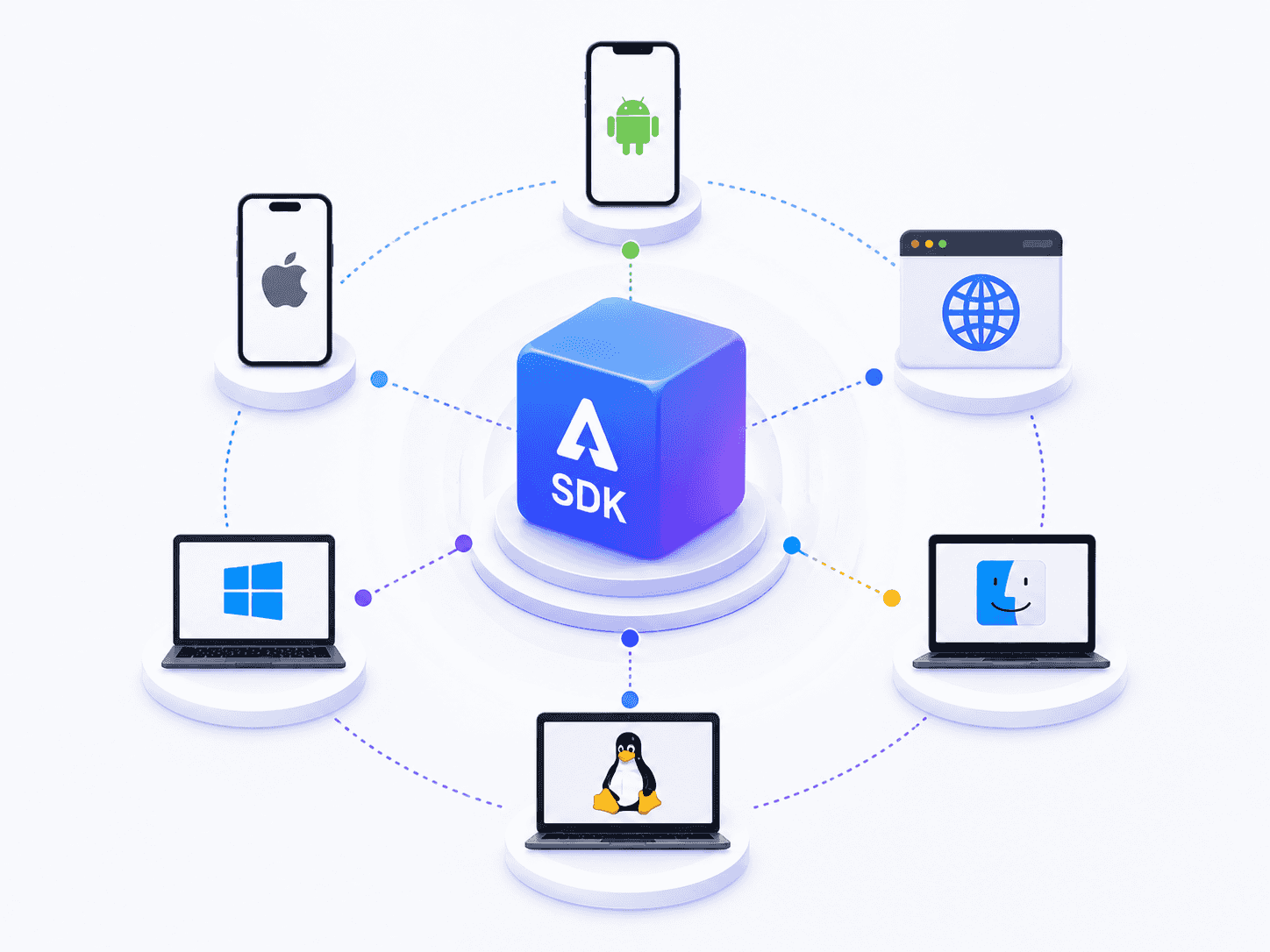
Cross-platform SDK
One SDK across all platforms
Android, iOS, Web, Windows, macOS, and Linux with unified APIs and behavior.

Traffic Validation
Reduce invalid traffic
Detect bots, accidental clicks, and low-quality impressions before delivery.
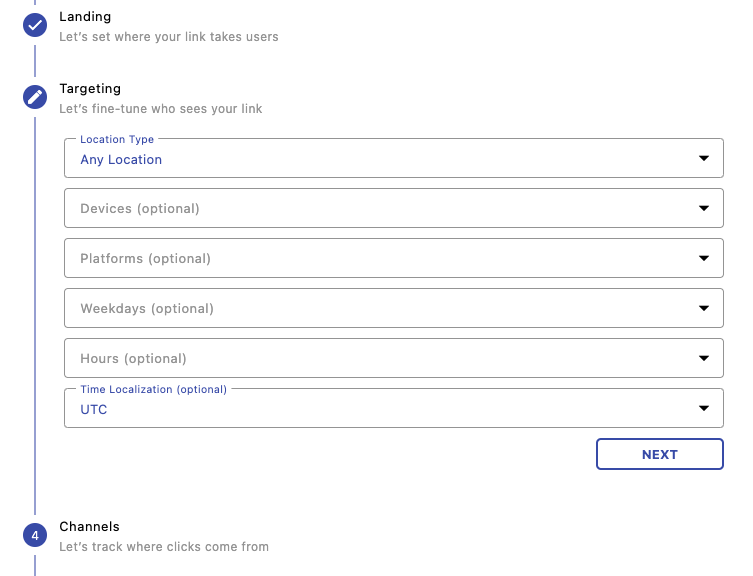
Smart Targeting
Deliver ads with precision
Geo targeting, scheduling, routing rules, and device-level campaign optimization.
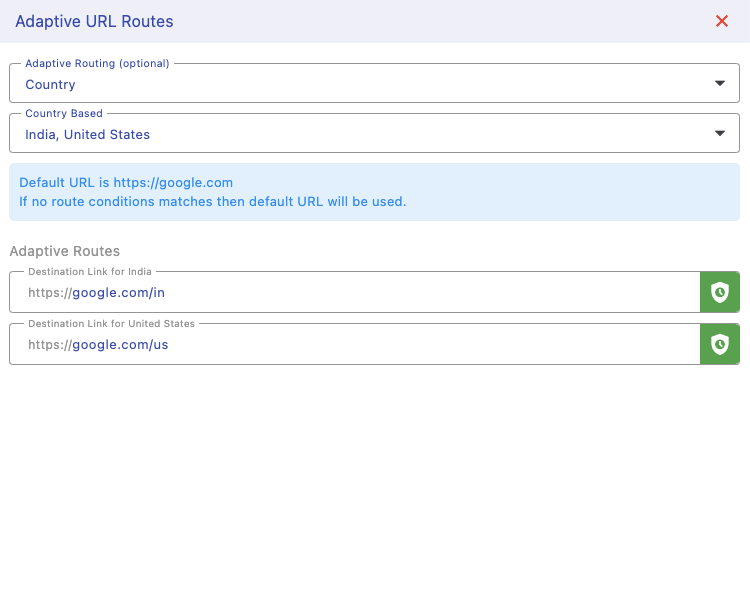
Adaptive Routing
Dynamic campaign optimization
Automatically optimize traffic flow and delivery performance across formats.
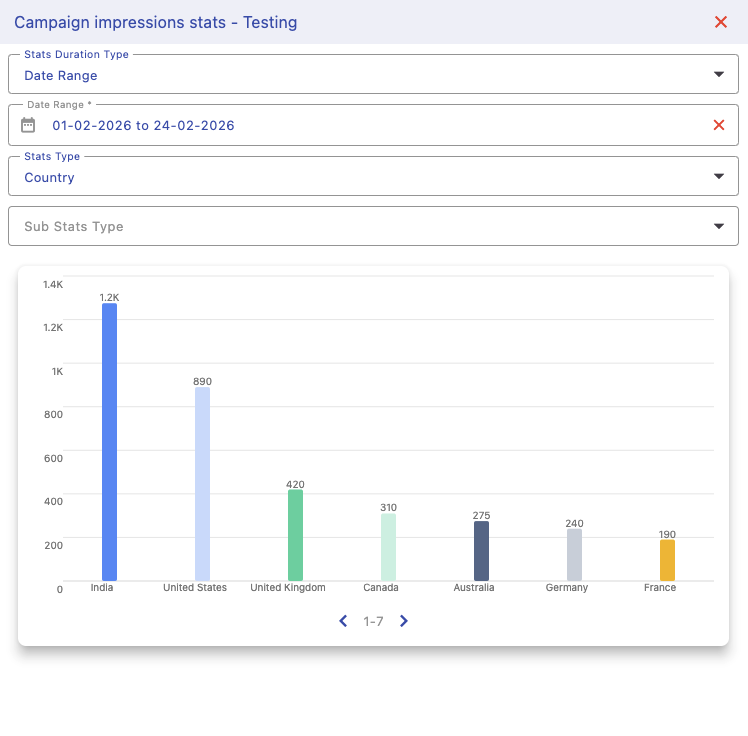
Analytics Engine
Realtime campaign insights
Track impressions, clicks, CTR, routing efficiency, and monetization metrics.

Flexible Ad Formats
Native, fullscreen & rewarded
Run campaigns across multiple ad formats from one centralized setup.
Ad formats
Flexible ad formats designed for Flutter apps across mobile, desktop, and web environments.
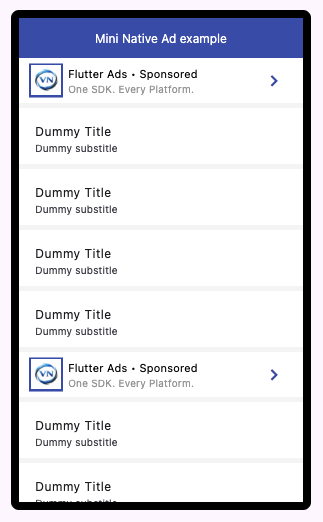
Inline Ads
Mini Native
Lightweight native ads optimized for feeds, lists, and compact layouts.
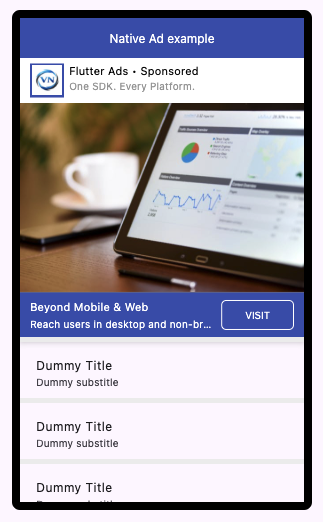
Native Ads
Fully Customizable
Build fully branded ad experiences with media, CTA buttons, and custom UI layouts.

Fullscreen Ads
Immersive Experience
High-visibility fullscreen ad experiences designed for maximum engagement.

Video Ads
Embedded Video
Integrate ads directly into video playback and streaming workflows.
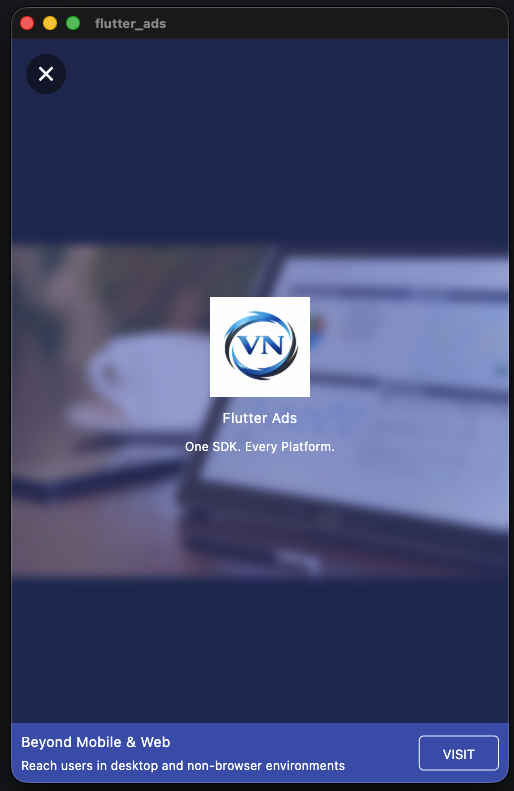
Rewarded Ads
Opt-in Engagement
User-initiated rewarded ad experiences with customizable reward flows.
More formats coming
Banner ads, native video, interactive experiences, and more monetization formats are planned.
Tutorials & Walkthroughs
Learn how to integrate APIs, configure SDKs, and build production-ready traffic systems with Voyant Networks.
Flutter Ads SDK
Create & Scale Campaigns
Learn ad setup, routing, targeting, and monetization workflows.
IP Intelligence API
Detect VPNs & Proxy Traffic
Integrate realtime fraud detection and traffic scoring APIs.
Text Analysis API
Detect Spam & Toxicity
Analyze sentiment, spam, phishing, and harmful content using AI.
NSFW Detection API
Detect Unsafe Content
Detect explicit, unsafe, and suggestive images using AI moderation.
Referral Rewards
Referral Program Explained
Learn referral tracking, reward flows, and partner attribution systems.
SDK Roadmap
Expanding Flutter Ads into a complete multi-platform monetization ecosystem.
Phase 1
LIVEFlutter SDK
Full-featured ads SDK for Flutter apps across mobile, web, and desktop platforms.
Phase 2
IN PROGRESSBrowser SDK
Lightweight JavaScript SDK for websites and browser-based monetization systems.
Phase 3
PLANNEDReact SDK
Dedicated React components and hooks for seamless ads integration and rendering.
Phase 4
PLANNEDNative SDKs
Android (Kotlin) and iOS (Swift) SDKs for direct platform-level monetization control.
Phase 5
FUTUREUnified Monetization Layer
Shared APIs, unified routing logic, analytics infrastructure, and consistent behavior across every supported platform.
Build the next generation of traffic systems
Start with one product or deploy the full Voyant stack for traffic intelligence, ads infrastructure, and AI moderation.